JavaScript Basics – The Language of the Web

I'm a full-stack developer who loves turning ideas into real, usable products. I work with React, Node.js, MongoDB, and Tailwind to build clean, scalable web apps. I don’t just build demo projects — I focus on solving real problems with code. Always learning, always shipping.
JavaScript is the main language that makes websites interactive. It helps create buttons, animations, forms, and more. If you want to make a website do cool things, learning JavaScript is a great first step!
Understanding Variables and Data Types in JavaScript: A User-Friendly Guide
JavaScript is a powerful and flexible programming language that is widely used for web development. To get started with JavaScript, it’s essential to understand two fundamental concepts: variables and data types. Let’s break these down in a simple, user-friendly way😊.
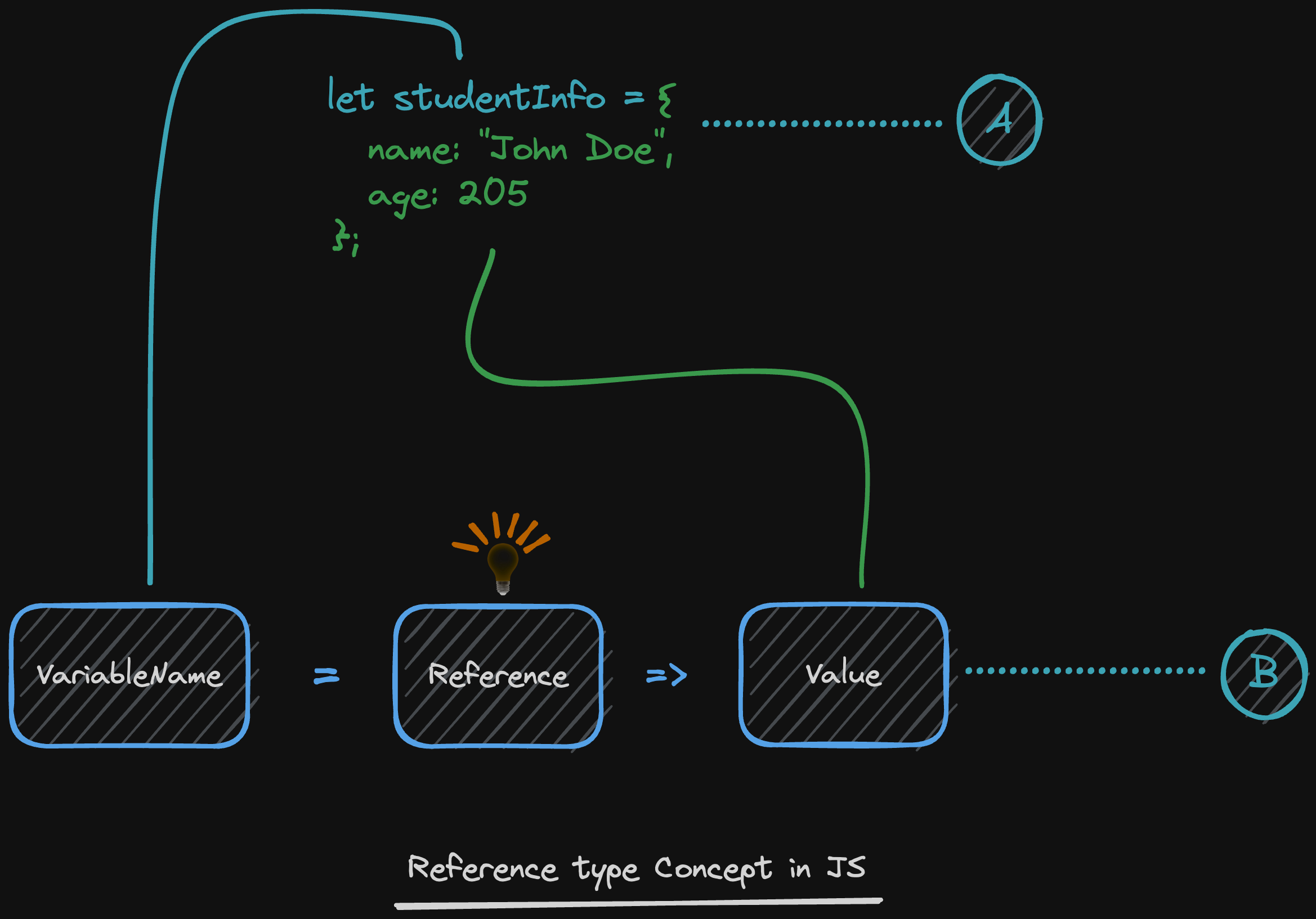
What is a Variable?
Think of a variable as a container that holds information. You can store different types of data in these containers and use them later in your code. Variables make your code dynamic and reusable✌️.
How to Declare a Variable
In JavaScript, you can declare a variable using three keywords:
let: Use this when the value of the variable might change later.const: Use this when the value of the variable will never change (constant).var: Older way to declare variables, but it’s less used due to scope issues.
let name = "Alice"; // Declare a variable 'name' and assign it a value
const age = 25;     // Declare a constant 'age' and assign it a value
var city = "Paris"; // Older way (avoid if possible)
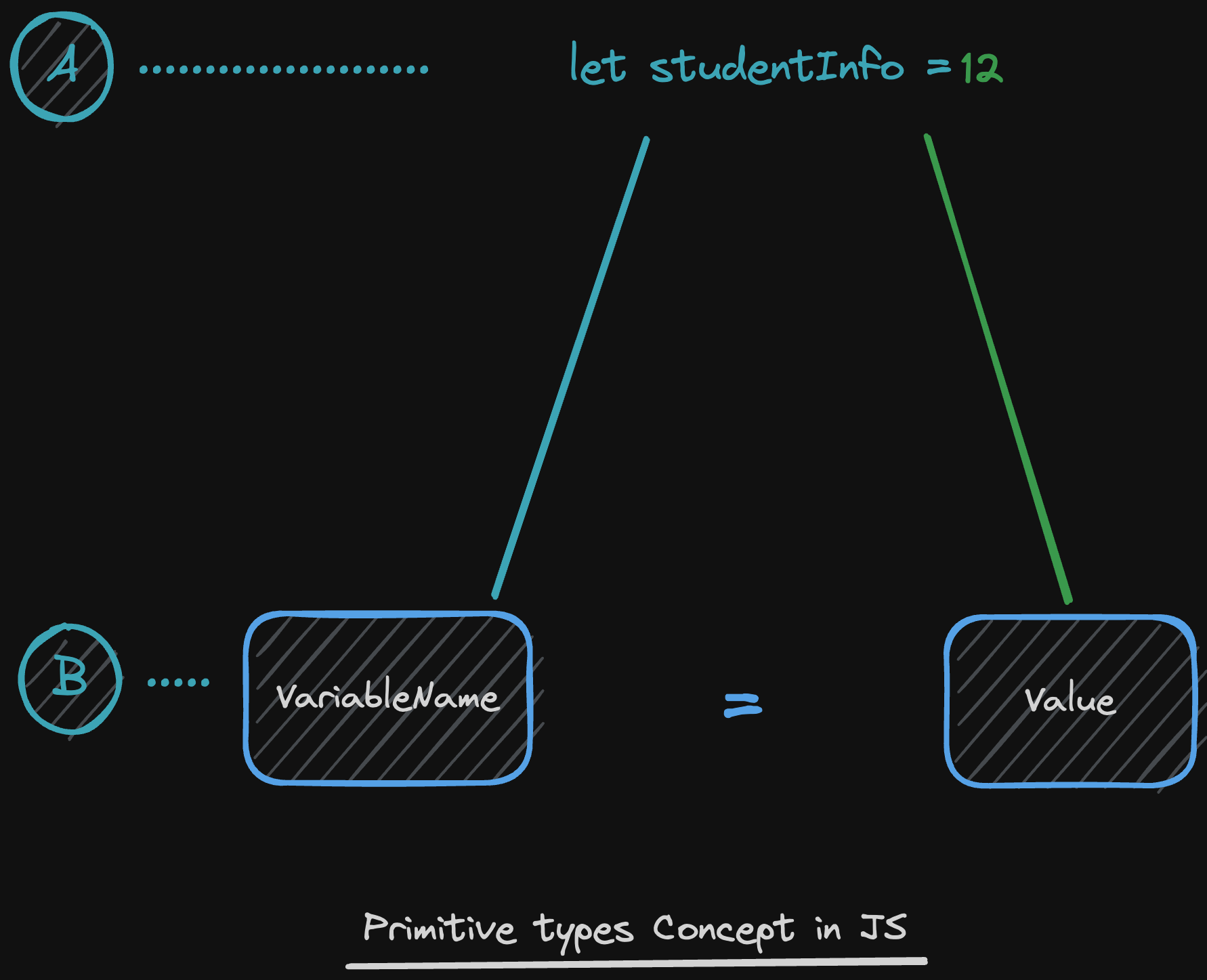
What are Data Types?
Data types define the kind of information a variable can hold. In JavaScript don’t need to explicitly declare the data type—it’s determined automatically 💪.

Here are the most common data types in JavaScript:
String: Represents text. Wrap it in quotes (
""or'').let greeting = "Hello, World!";Number: Represents both integers and decimals.
let score = 100; let price = 19.99;Boolean: Represents
trueorfalse.let isLoggedIn = true;Undefined: Represents a variable that has been declared but not assigned a value.
let username; // Value is undefinedNull: Represents an intentional absence of value.
let car = null;Object: Represents a collection of key-value pairs.
let person = { name: "Alice", age: 25 };Array: Represents a list of values.
let colors = ["red", "green", "blue"];
Why Are Variables and Data Types Important?
Variables help you store and manage data efficiently.
Data types ensure that your program knows how to handle the data correctly.
For example:
let total = 10 + 5; // JavaScript knows to add numbers
let message = "Hello, " + "Alice"; // JavaScript knows to concatenate strings
Tips for Using Variables and Data Types
Use meaningful variable names to make your code readable.
 let userName = "Alice"; // Good
 let x = "Alice";        // Avoid
Use
constby default and switch toletonly if the value needs to change.const pi = 3.14; // Constant value let count = 0; // Value can changeBe aware of type coercion (automatic type conversion) in JavaScript.
 let result = "5" + 2; // "52" (string concatenation)
 let result2 = "5" - 2; // 3 (number subtraction)
JavaScript Operators: Simple and Short Guide
JavaScript operators let you perform actions on values and variables. They’re essential for calculations, comparisons, and logic in your code. Let’s break them down in a simple, way! 😊
Arithmetic Operators
Perform math operations.
+Add: Combine numbers or strings.let sum = 5 + 3; // 8-Subtract: Subtract numbers.let difference = 10 - 4; // 6*Multiply: Multiply numbers.let product = 2 * 6; // 12/Divide: Divide numbers.let quotient = 20 / 5; // 4%Modulus: Get the remainder.let remainder = 10 % 3; // 1
Assignment Operators
Assign values to variables.
=Assign: Set a value.let x = 10;+=Add and assign: Add to the current value.x += 5; // x is now 15-=Subtract and assign: Subtract from the current value.x -= 3; // x is now 12
Comparison Operators
Compare values and return true or false.
==Equal: Check if values are equal (ignores type).5 == "5"; // true===Strict equal: Check if values and types are equal.5 === "5"; // false!=Not equal: Check if values are not equal.5 != "5"; // false>Greater than: Check if left value is greater.10 > 5; // true
If-Else and Switch in JavaScript: Simple and Short Guide
When writing JavaScript, you often need to make decisions in your code. If-Else and Switch statements help you do just that. Let’s break them down in a simple, way!
1. If-Else Statements
Use if-else to execute code based on conditions.
if (condition) {
  // Code to run if condition is true
} else {
  // Code to run if condition is false
}
Example:
let age = 18;

if (age >= 18) {
  console.log("You are an adult.");
} else {
  console.log("You are a minor.");
}
// Output: "You are an adult."
Add More Conditions with else if:
let score = 85;

if (score >= 90) {
  console.log("Grade: A");
} else if (score >= 80) {
  console.log("Grade: B");
} else {
  console.log("Grade: C");
}
// Output: "Grade: B"
2. Switch Statements
Use switch to handle multiple conditions more cleanly.
switch (expression) {
  case value1:
    // Code to run if expression matches value1
    break;
  case value2:
    // Code to run if expression matches value2
    break;
  default:
    // Code to run if no cases match
}
Example:
let day = "Monday";

switch (day) {
  case "Monday":
    console.log("Start of the workweek!");
    break;
  case "Friday":
    console.log("Weekend is near!");
    break;
  default:
    console.log("It's a regular day.");
}
// Output: "Start of the workweek!"
Key Points:
Use
breakto stop execution after a match. Without it, the code will "fall through" to the next case.Use
defaultfor cases where no matches are found.
Conclusion 🧐🧐:
Variables and data types are the building blocks of JavaScript. By mastering these concepts, you’ll be well on your way to writing dynamic and efficient code. Keep practicing, and soon you’ll be using variables and data types like a pro!
JavaScript operators are powerful tools to manipulate data and control your code. Keep practicing, and soon you’ll use them effortlessly! 💪
Use If-Else for flexible, range-based conditions.
Use Switch for clean, value-based conditions.
Master these tools, and you’ll make your code smarter and more efficient!
Happy coding! 🚀


